
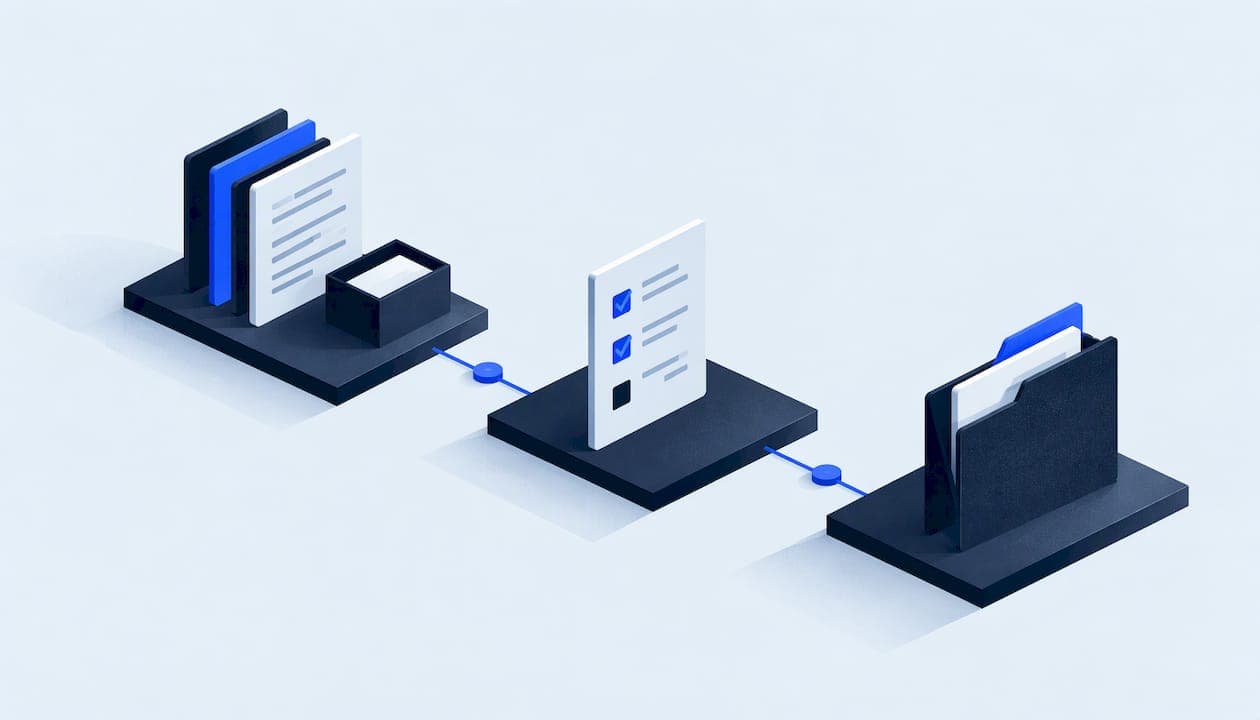
A client intake process is the set of steps that takes a new client from "yes, let's work together" to a team that has everything it needs to start: contacts, access, brand assets, goals, approvals and signed paperwork. A good one has a single template, a clear owner, automatic follow-up for anything missing and a review before the work is handed to delivery. This guide shows how to build that for a marketing agency, what to collect, and where the time usually leaks away.
TL;DR
- Intake has five jobs: collect, chase, check, organise and hand over. Most agencies do the first well and the other four ad hoc.
- Use one standard template for every client, with a short core and optional sections by service, and ask only for what you will use.
- Missing inputs are the main cause of slow kick-offs, so agree who chases, when, and what happens if nothing arrives.
- Have a colleague review the pack before delivery starts, so the team receives a summary and not an inbox.
- Automate reminders and file collection, but keep the relationship with the client human and yours.
Table of Contents
- What a client intake process actually covers
- The stages of a client intake process
- What a client intake form should include
- How to standardise a client intake workflow
- Digital client intake and automation
- Common intake problems and how to fix them
- A worked example
- Perspective: why intake needs people behind the software
- How Clientovo handles intake for agencies
- Measuring whether your intake is working
- FAQ
- Sources
What a client intake process actually covers
Intake is often confused with sales and with onboarding. Sales ends when the client agrees. Onboarding is the wider welcome, including introductions, kick-off calls and early reporting. Intake sits in the middle: it is the information-gathering and checking part, and it decides how smoothly the rest runs.
The idea is well developed in regulated professions. In UK family law, Resolution's 2024 good practice guidance recommends establishing things such as the nature and urgency of the enquiry, enough details for conflict checks, the charging structure, any required identity documentation and confidentiality considerations before or at the first appointment. An agency does not face the same stakes, but the logic transfers: find out what you need early, in a set order, and record it where colleagues can find it.
For a marketing agency, the equivalent questions are practical:
- Who is the day-to-day contact, and who signs off work?
- What are the goals, the budget and the deadline that matter?
- Which accounts, tools and assets do we need access to?
- What has been tried before, and what does the client dislike?
- Which legal, brand or compliance rules apply to the work?
The stages of a client intake process
The stages below fit most agencies, whether you sell social media, paid search, SEO, design or web builds. Rename them to suit your own terms.
| Stage | What happens | Output |
|---|---|---|
| 1. Confirm | Proposal accepted, contract and payment terms agreed | Signed agreement, named account owner |
| 2. Request | Client receives the intake template and a clear deadline | Intake request sent |
| 3. Collect | Client completes forms and uploads files and access | Raw information and assets |
| 4. Follow up | Missing or unclear items are chased on a schedule | Gaps closed or escalated |
| 5. Review | A team member checks completeness and quality | Reviewed, approved pack |
| 6. Hand over | Summary and files passed to delivery team | Handover pack and kick-off date |
People tend to blur stages 3 to 5. A client uploads a logo, the account manager glances at it and moves on, and three weeks later the designer finds it is a low-resolution screenshot. Separating collection from review is what prevents that.
Stage 1: confirm the scope before you ask for anything
Intake questions only make sense against a defined scope. If the proposal says "social media management", the intake must know which channels, how many posts a month and who approves them. Put the scope summary at the top of the intake request so the client can see what the questions are for.
The Law Society makes a related point for solicitors: clients should get clear information about the service, including costs and arrangements. Agencies are not bound by that guidance, but telling clients what will happen, what it costs and what you need from them is simply good client care.
Stage 2: send one request, not six emails
The most common failure is drip-feeding requests: a form on Monday, a request for logins on Wednesday, a question about brand colours on Friday. Send everything at once, grouped and prioritised, with a deadline and the name of the person to ask if something is unclear.
A simple order works well:
- Essentials that block the start (contacts, access, signed approvals).
- Strategic context (goals, audience, competitors, past results).
- Assets (logos, fonts, imagery, previous reports).
- Nice-to-have detail that can arrive after kick-off.
Stage 3 and 4: collect and follow up
Collection is the easy part. Following up is where agencies lose hours, because it falls to whoever has a spare minute, and nobody wants to be the person nagging a new client. The answer is a defined schedule: a first reminder after a couple of days, a second with a direct offer of help, then a phone call or escalation to the account owner. Settle the timings once, in your template, rather than deciding case by case.

Workflow documentation helps here too. One published social media onboarding template argues that defining primary approvers, turnaround times and what happens when approvals are missing avoids bottlenecks in creative work. Write the same rules into your intake: who approves, how fast, and what the default is if they do not reply.
Stage 5: review before anyone starts
Review is a short, deliberate check: is every blocking item present, are the files usable, are the answers specific enough to act on, and do any contradict each other? Resolution's guidance on handling client information stresses requesting information securely, keeping accurate notes and organising files so another colleague can follow the case. That is a fair test for an agency handover: could someone who has never spoken to the client pick this up tomorrow?
Stage 6: hand over a pack, not a mailbox
The delivery team should receive a single summary: who the client is, what they want, the constraints, the access that has been granted, the files, and any open questions. If the team has to search through email threads, the intake has not finished. For a deeper look at how roles and handovers fit together, see our guide to marketing agency workflow, stages, roles and handovers.
What a client intake form should include
The purpose of an intake form is to replace a string of questions with one structured request, so every client gives you the same baseline and nothing depends on the account manager's memory. Keep it short enough that a busy client finishes it, and let it branch by service so a paid search client is not asked about packaging design.
The core sections
| Section | Typical fields |
|---|---|
| Business basics | Legal name, trading name, website, company number, billing contact |
| People | Day-to-day contact, approver, decision-maker, preferred channel and hours |
| Goals | Primary objective, success measures, deadline, budget range |
| Audience and market | Target customers, locations, products or services to prioritise |
| Brand | Logos, colours, fonts, tone of voice, brand guidelines |
| Access | Analytics, ad accounts, social profiles, CMS, domain and hosting |
| History | Previous agencies, past campaigns, what worked and what did not |
| Rules | Legal or industry restrictions, words to avoid, sign-off requirements |
If you want a ready-made list to adapt, our marketing agency client onboarding checklist sets out the items most agencies need.
Ask for less, and be able to say why
Every field should have a reason. Under UK data protection law, the ICO's data minimisation principle says personal data should be adequate, relevant and limited to what is necessary. Intake forms that ask for home addresses, personal social logins or copies of documents "just in case" create risk and put clients off. Ask for work accounts, use shared access where platforms allow it, and keep a short note of why each category is collected. The ICO flags that this guidance is under review following changes made by the Data (Use and Access) Act, so check the current page when you update your forms.
Write questions that get usable answers
- Prefer specific prompts to open boxes. "Name your three closest competitors" gets better answers than "Tell us about your market".
- Offer examples and defaults. A dropdown for approval turnaround beats a blank field.
- Mark what blocks the start and what can follow. Clients will prioritise if you do.
- Let clients save and return. Few people have every login at hand.
- Explain how files should be named and shared, so you do not receive 40 attachments called "final_v2".
How to standardise a client intake workflow
Standardising does not mean treating every client identically. It means every client passes through the same stages, with the same minimum information, and the variations are planned. Reusable templates exist across freelance and studio work for exactly this reason: they are intended to reduce repeated admin, clarify expectations and make delivery more consistent.
Here is a sequence for building yours:
- Map what happens now. Look at your last three onboardings and list every question asked, every chase and every delay. The pattern is usually obvious.
- Define the minimum. Decide what you must have before work starts, by service line.
- Build one template with branches. A common core, plus modules for paid media, content, web or design.
- Assign owners. One person owns each client's intake. Another reviews it. Nobody owns it "as a team".
- Set statuses. Use simple labels such as requested, in progress, needs follow-up, in review, approved and handed over. Clear statuses are what stop prospects being forgotten, a point also made in Clio UK's guide to intake for law firms.
- Time-box it. Agree a target, for example kick-off within a set number of working days from signature, and measure it.
- Review quarterly. Look at which questions never get used and remove them.
The statuses step is small but powerful. When your account lead can see that three clients are stuck at "needs follow-up" and one is waiting on review, work gets reallocated before it becomes a problem.
Digital client intake and automation
A digital intake replaces email attachments and phone notes with a structured online request. The advantages are straightforward: answers arrive in a consistent format, files land in one place, progress is visible, and reminders can be sent without a person remembering to do it.
Common building blocks include an online form or portal for collection, a shared storage structure for files, and rules that trigger reminders when an item remains unanswered. Some agencies wire these together with general automation tools; others use a dedicated onboarding product. Our piece on how agencies do digital client onboarding well covers the options in more detail.
What to automate and what to keep human
| Automate | Keep human |
|---|---|
| Sending the intake request on signature | The welcome call and relationship |
| Reminders for unanswered items | Judging whether an answer is good enough |
| Filing uploads into the right folder | Spotting contradictions or red flags |
| Status tracking and notifications | Deciding scope changes |
| Compiling answers into a summary | Final approval of the handover |
Automation fails when it replaces judgement. A reminder can tell you a logo was not uploaded; it cannot tell you the logo is unusable. That is why review remains a distinct stage even in a well-automated process.
Forms alone, or forms plus people?
A form is a collection tool. It does not chase, review or organise. If your team is small and onboards a few clients a year, a good form and a calendar reminder may be enough. When onboarding volume rises, the admin around the form becomes the bottleneck. We compare the two approaches in client onboarding forms versus a managed service.
Common intake problems and how to fix them
The client does not respond. Usually the request was too long, unclear or sent to the wrong person. Shorten it, name a single contact and offer a 15-minute call to complete it together.
Information arrives, but it is vague. Replace open questions with specific ones, and add examples of good answers.
Different team members ask for the same thing. Centralise all requests in the template. Anyone who needs more information adds it to the template, not to an email.
Access is granted to the wrong person or never granted. Give step-by-step instructions for each platform and ask for the access owner's name early.
Nobody knows who is responsible. Name an owner on every intake. If it is shared, it is nobody's.
Sensitive data is sent by email. Offer a secure upload route and tell clients which information should never be emailed. If you want to know how we treat client data, our privacy and security page explains it.
A worked example
Imagine a six-person agency signing a local retailer for paid social and email. Under an informal process, the account manager sends a form, then follows up by email, then asks for ad account access on a call, then realises the brand guidelines are missing. Kick-off slips and the team starts with partial information.

Under a standard process, the signed proposal triggers one request containing the core form, the paid social module and an access guide. The client sees a deadline and a named contact. A reminder goes out when items are outstanding. When everything is in, a colleague reviews it against a checklist, writes a one-page summary and passes the pack to the strategist. The client experiences one clear request and one confirmation. The agency saves the repeated back-and-forth, which is where the hours go.
Perspective: why intake needs people behind the software
We built Clientovo because the problem with client intake is rarely the form. Agencies already have forms. What they lack is someone whose job is to notice that the logins have not arrived, send a considerate nudge, check the files and compile the pack.
That work is repetitive and unglamorous, and it lands on account managers who would rather be doing strategy. Software alone moves the form from email to a web page, but the chasing and checking still need a person.
Our approach is managed onboarding: automated follow-ups for missing inputs, a team review phase, and a structured handover with a complete summary and reviewed client files. The agency keeps control of the client relationship throughout. We take on the admin, and your team starts from an organised pack.
We think this is the better way to run intake for agencies that onboard regularly, because it turns a weak point in the process into something consistent.
the author
How Clientovo handles intake for agencies
Clientovo is a managed onboarding service for marketing agencies. We collect the information and files through template-based intake, follow up on missing inputs, organise the materials, run a team review and deliver a structured handover pack through your agency portal. You can see the steps in how managed agency client onboarding works.
Pricing is published on our site: £14 one-off per onboarding on pay as you go, or £34 per month on the monthly plan. Your first client onboarding is covered by a free trial, so you can judge the result on a real client before paying.

If you would like to talk through your current intake first, get in touch with our team.
Measuring whether your intake is working
You cannot improve what you do not track. A few simple measures are enough:
- Time from signature to kick-off. The headline number. Track the median, not just the best case.
- Time to complete intake. How long the client takes, and where they stall.
- Number of chasing messages per client. If this is high, the request is unclear or the schedule is weak.
- Items found missing after kick-off. This shows whether review is catching problems.
- Client feedback. Ask two questions after kick-off: was it clear what we needed, and was it easy to provide?
Review these every quarter and change one thing at a time. If time to complete is long, shorten the form. If missing items appear after kick-off, strengthen the review checklist.
FAQ
What is the purpose of a client intake form?
It gathers the same baseline information from every client in one structured request, so nothing depends on memory or scattered emails. A good form also sets expectations by showing the client what you need and by when. It should include only what your team will actually use.
What are the stages of client intake and onboarding?
For an agency, a practical sequence is confirm the scope, send one request, collect, follow up, review and hand over. Onboarding in the wider sense then continues with the kick-off call and early delivery. Rename the stages to fit your own terms, but keep review and handover as separate steps.
How do I improve my client intake process?
Start by mapping your last few onboardings to find where delays happen, then standardise the template, name an owner and set a follow-up schedule. Add a review step before delivery begins. Measure the time from signature to kick-off so you can see whether changes help.
Should small agencies automate client intake?
Automating reminders, file collection and status tracking saves time at almost any size, because chasing is the most repetitive part. Keep judgement tasks such as review and scope decisions with people. If you onboard clients often, a managed service can handle the admin for you.
Sources
- Equality, Diversity and Inclusion: Family Lawyers Working with Clients, Resolution (2024)
- Client information requirements, The Law Society
- Social Media Client Onboarding Template, Sagely
- Freelance Client Onboarding & Handoff Kit
- Client Intake: A Guide for Law Firms, Clio UK